The Spool / View Job screen displays the contents of a Spooler Job.
The User must be logged on to view the contents of a job.
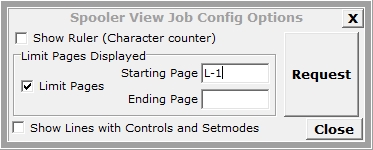
Pressing the Config button brings up a pop-up window. This window can be used before a job is requested to limit the number of pages downloaded. This is particularly useful for large jobs where only a few pages need to be examined. The characters F and L represent First page and Last page with an optional + / - followed by a number. In the screen below, only the last page of the job is retrieved and displayed.
After a job is displayed, press the Tool  button in the lower left hand corner bring up a window to change font
size.
button in the lower left hand corner bring up a window to change font
size.
In the displayed text, special lines indicate various Spooler operations rather than a line of data. Below are examples:
>*Setmode* Function ##### Param1 ##### Param2 #####<
>*Control* Operation <?INT16> Param <?INT16><
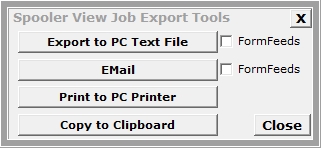
The Export Tools button displays a window to allow the displayed job to 1) export to a text file on the PC, 2) sent to a PC printer, or 3) loaded into an Email (MOMI invokes the default email client configured for the PC).