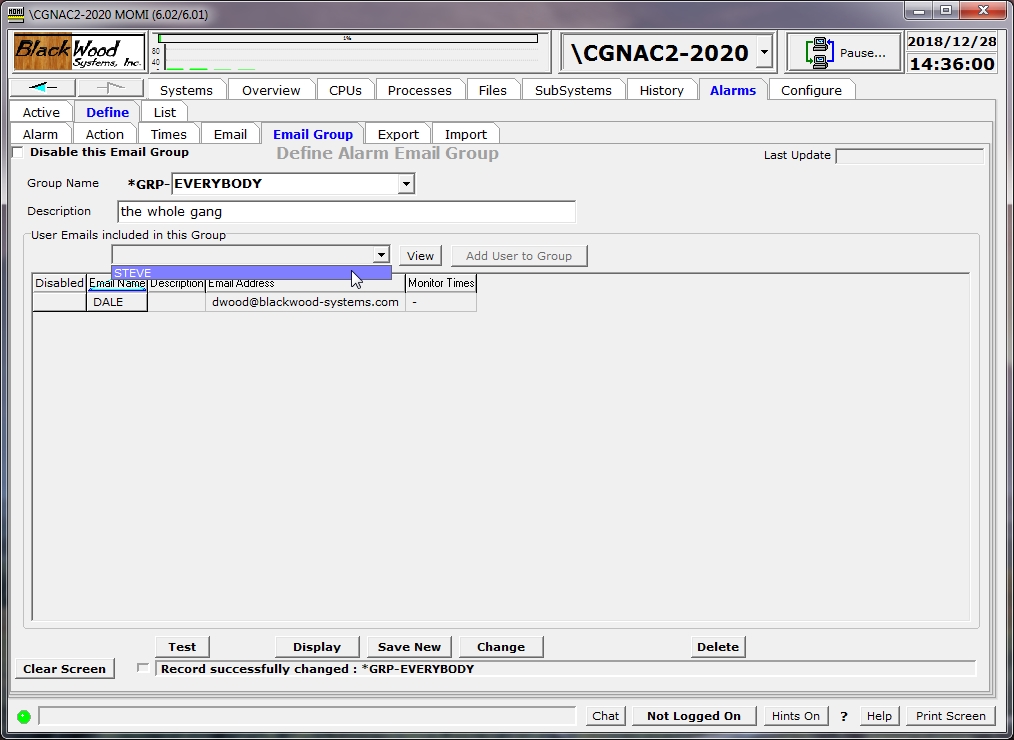
The Define / Email Group screen allows the creation and maintenance of Email group records. A group record is a reference to one name that represents one or more previously created Email definitions.
To create a new group, enter a Group Name (the *GRP- prefix is fixed), Description and then using the drop down box as shown above select an Email and press Add User to Group. Repeat the last step for each email needed in this group. Press Save New when complete.
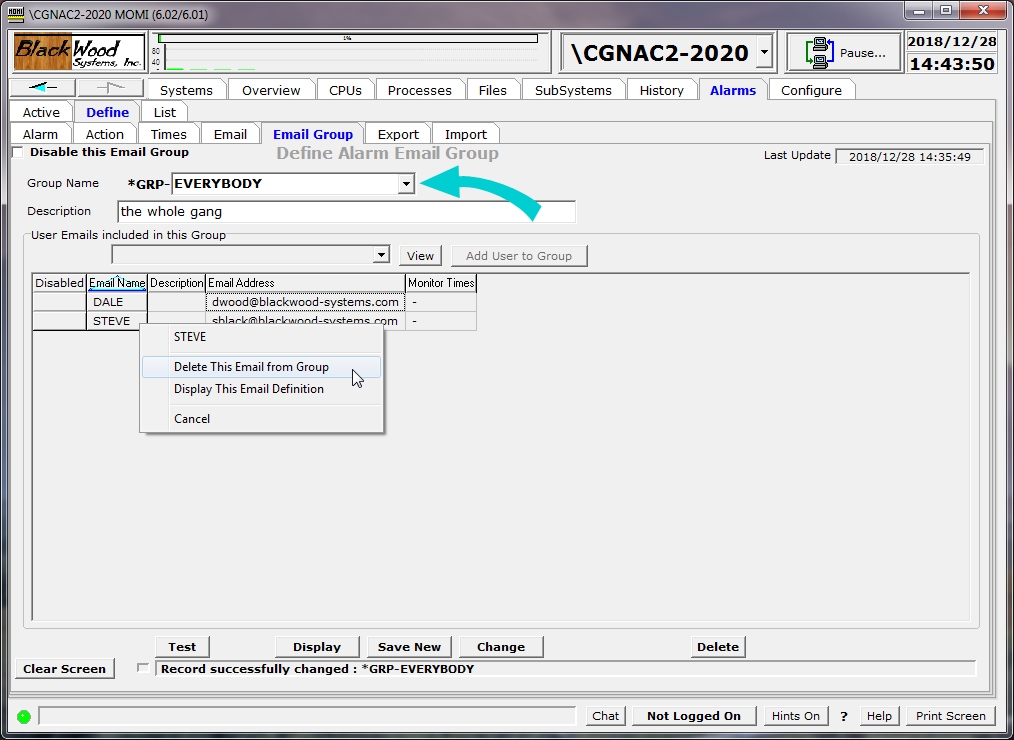
To change an existing group, select and existing group in the Group Name drop down then right click on the entry in the Email Name column and select the delete option. Press Change when complete.
Records defined here do not in-and-of themselves perform any action. But rather are referenced in other definitions.
The field Disable this Email Group provides the ability to prevent the processing of the record without deleting it.
The Test button generates a test email using the settings defined for Alarm Email.
In order to use email, it is necessary to set several keywords in the CONFMOMI file. See the Alarm Overview page for more information.