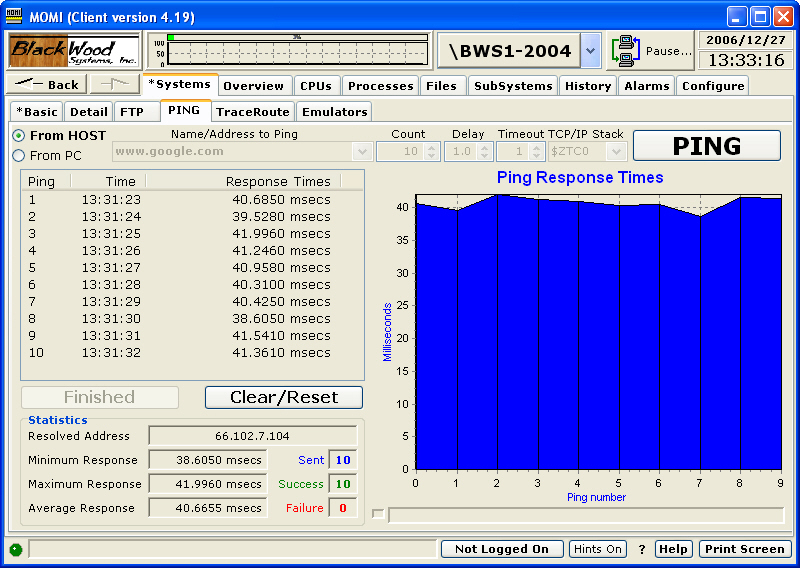
The Systems / PING screen provides the ability to PING another host or device on the TCP/IP network and determine where the PING is originated either from the currently connected HOST or from the local PC.
PING is the generic name used to describe a diagnostic to test if communication is possible between the source (i.e. HOST or PC) to the destination.
A PING consists of an ICMP echo message that most TCP/IP stacks with acknowledge by simply echoing the original request. Note that some networks disable the ability for devices to respond to the PING.
When a PING is "From HOST" it is generated on the Nonstop system were the BWMOMI server is running using the selected TCP/IP Stack. When "From PC" is selected the PING is generated on the PC running the MOMI PC Client.
The screen is used by selecting either "From Host" or "From PC", entering a destination as an DNS name or IP address and pressing the PING button. Optionally, the number of PING attempts (Count), the time delay in seconds between each attempt, the amount of time to wait for a PING to respond and the TCP/IP Stack to issue the PING through. The center of the screen displays the amount of time each response took and a graphical presentation of the response time. General statistics about the number of attempts, successful and failed pings are also displayed.
The ability to PING from the HOST requires the setup of an additional MOMI server to perform the function. See General considerations for additional information.