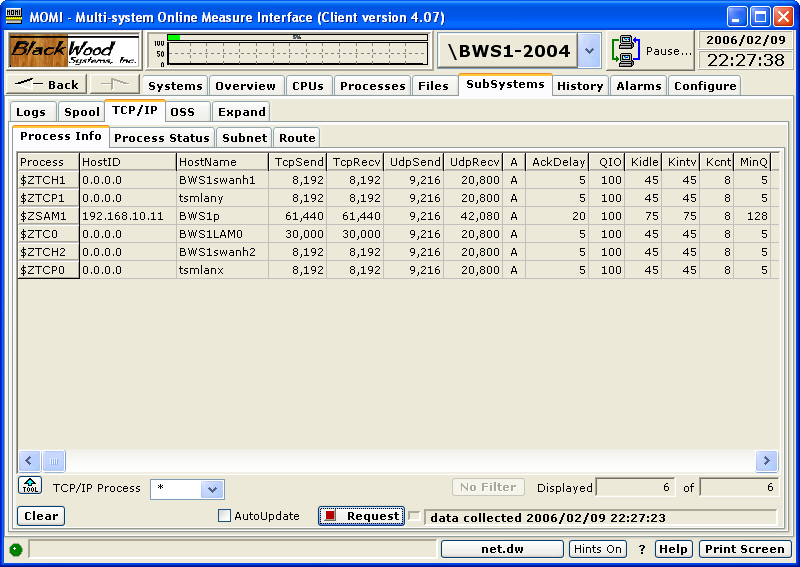
The TCP/IP / Process Info screen presents the TCP/IP processes or protocol stacks running on the System.
The TCP/IP process is the IOP (Input/Output Process) responsible for handling the TCP/IP traffic for a communication interface.
S-Series systems always have two TCP/IP processes used in support of the system console. These are $ZTCP0 and $ZTCP1. Most systems have a $ZTC0 TCP/IP process running, which is the default selection for socket programs.
At a TACL prompt, the default TCP/IP process is changed by using a DEFINE. Below is an example which sets the default process to $ZSAM1 and then starts an FTP:
1> ADD DEFINE =TCPIP^PROCESS^NAME, FILE $ZSAM1
2> TRACER www.hp.com